Friday, April 25, 2014

Book Review: Grave Mercy by Robin LaFevers

Grave Mercy by Robin LaFevers
I don't normally read YA, but the description of this book hooked me instantly: Medieval nuns in Brittany teach young women how to become assassins, all in service of Mortain, the God of Death. I mean, seriously. Nuns teaching girls to use crossbows and poison? I'm there. Let's see if the book lives up to its premise.

3 Things I Really Liked

1. The setup. Let me reiterate...medieval nuns training teenage girls to be assassins? What more do you need, people? This is awesome. And it mostly works. The novel opens with Ismae Rienne, our 17-year-old heroine, on her wedding day. Traded away by her turnip farmer stepfather to a cruel man, Ismae faces a future of abuse, verbal and otherwise. She escapes to the convent of St. Mortain. Mortain is a pagan god of death, still served by the nuns of the convent. 

As it turns out, Ismae is not susceptible to poison because her real father is Mortain himself. Now we start getting into one of the parts of the book I didn't like (#3 in the "dislike" section below), but stay with me for the time being. Anyhoo, the nuns at the convent train Death's handmaidens, as they're called. Each nun imparts a skill: fighting, poisoning, seduction, etc. When the girls have all the training they need, they are sent out into the world to do the abbess's bidding. As setups go, it's golden. Who doesn't want to know what happens to a 17-year-old girl, taught to kill, who's sent out into a medieval world full of bad people? I would kill for this to be my idea, my series. My hat's off to Robin LaFevers on this one.

2. The setting. Medieval Brittany feels real. From the clothes to the food to the locations to the events off the page, it felt like I was there. This must have been a hard line to walk for a YA author. You have readers like me, who, even as a kid, wanted extremely realistic historical settings. Then you have readers who want a little bit of setting, but might get overwhelmed by the vocabulary and the setting if it's too heavy-handed. In a YA, you have to watch out for these things. But the author handled this perfectly. 

Chuck Bass meme: Sells girlfriend for hotel / Still considered dreamy
3. The supporting characters. I can't talk about this without a big SPOILER ALERT. If you don't want to hear what happens to some of the characters in the end, skip down to the next section. The main character, Ismae, is fine. I didn't love her. I didn't hate her. She was a vehicle, and that's fine. Same goes for the love interest, Gavriel Duval (I keep wanting to call him "Duvel," after the excellent Belgian beer). I only watched the first couple episodes of Reign, but Ismae and Duval remind me of Mary and Francis. They get the job done, but you're probably not going to "ship" them the way you do Chuck and Blair, Dean and Castiel, or even Elena and Damon. There's not enough electricity there. They start out disliking each other and at cross-purposes, then they realize that's not the case and end up falling for each other. Big surprise. They don't do it with the magnetism of Chuck and Blair, the endearing awkwardness of Dean and Castiel (okay, these two don't actually fall for each otherthey just become reluctant friends), or the smoldering intensity of Elena and Damon. They're vanilla. 

But the book shines in its secondary characters. Sybella, one of the other girls at the convent, gets sent away on a mission before Ismae. She's borderline crazy, and grabbed my attention more than Ismae did. That's with a maximum of a few chapters, as compared to Ismae's 560 pages. The hero's mother, Hivern, is your standard bitchy mother-in-law type...until she isn't, in one amazing scene where she reveals what she's been fighting for the whole time, and what it cost her. Suddenly, you don't want anything bad to happen to her. 

The hero's best friends, Beast and De Lornay, make you weep for the knights cut down at Agincourt, because you know they were all just like those two. They're playful, protective, brave, charming, and likable...and they don't get much face time, either. Still, and here's a big SPOILER, when you realize they don't make it out of the final battle, you're feeling like shit about it. Because they're good people, and they believe in something, and they should be rewarded. They aren't, not in their world, and the fact that I gave a crap tells me how skillfully the author built these characters.

6 Things I Didn't Like

What do we want? Past tense. When do we want it? Now.
1. It's told in present tense. Oh, for the love of all that's holy, when will people stop writing books in present tense? It's awkward as hell, and if you're writing a historical novel, PEOPLE ALREADY KNOW THIS HAPPENED A LONG TIME AGO. YOU'RE NOT FOOLING ANYONE. Think third-person past-tense historical fiction can't grab the reader? Ever heard of a book called Gone with the Wind? Present tense works for a short story because it creates a rhythm that's alluring. At 550+ pages, this isn't a short story. Present tense is far too limitingand gratingto hang your whole book on, let alone your whole series. It's trendy and overdone, like those bedazzled pockets on Miss Me jeans.

2. The rushed romance. For a book that takes 500+ pages to reach the climax, things sure wrap up in a hurry. Ismae and Duval spend the entire book moving gradually from mistrust to awkward cooperation to trust to physical attraction. And then, it's true love. Bam. Based on how slowly the rest of the romance moved, it's just not believable that their love is suddenly earth-shaking. The foundation is there, but not the frame. This is a big problem because what happens next (see next item) means you really have to believe in their love story.

3. The silly climax to the rushed romance. So...yeah. If you don't want to know how the book ends, skip to the next point. Consider yourself warned by a SPOILER ALERT. In the end of the book, the villain poisons Duval. This is believable. Then Ismae saves him by having sex with him. This is not. 

WTF breakdown: Remember how Ismae is immune to poison? Well, she kisses him and he gets a little better. Once she figures this out, she hi-tails it back to the palace, finds him mostly dead, and they have sex in a secret passageway. He recovers just about instantly. So, apparently she's more than immune...she's an antidote, too. This is borderline ridiculous. Why go through all the bother of turning a medieval girla creature virtually powerless in that societyinto a killing machine, and then have sex be her redeeming feature? I get that it was her choice, I get that she was in love...but it's a big let-down in terms of the potential empowerment theme this book could have conveyed. 

Henry VIII meme: Creates new church just to get divorce / kills new wife anyway4. The lack of explanation supporting the book's supernatural elements. This is one of the biggest problems I had with the book. I love genre mash-upsI've written a historical/paranormal romance mash-up. But the weird supernatural elements in this world are never explained satisfactorily. For instance, let's start with the fact that Death himself is Ismae's father. I don't mean spiritual father, or metaphorical father. We're talking biological father here. So...does this mean the old gods are real and Christianity is false? Or is Mortain Satan? The medieval world was highly polarized in terms of religion: You were a heretic or you were a believer. You had the burning of the Cathars and the Spanish Inquisition...obviously there were grave consequences for any deviation from orthodoxy. And then you have this convent, which defies orthodoxy and no one thinks it's weird. In fact, outsiders don't question it at all. I find this extremely odd for a book that is otherwise so firmly grounded in the nitty-gritty details of court life and politics. Not one person thinks being a pagan is weird, which I just don't buy. I mean, it's the fifteenth century. In about 100 years, Henry VIII will have to create an entirely new religious denomination to marry Anne Boleyn. Anne's stepdaughter will burn Protestants at the stake. As you can see, the supernatural element here creates more problems than it solves.

What makes it worse is that the story could easily have been told without any of the supernatural features that cloud the plot. Say you have an order of nuns who are famous for taking in girls who have been beaten or otherwise abused. The nuns teach them to defend themselves, using weapons and poison. They teach them the art of seduction so they always have control. Legit, right? Then the nuns deploy the girls on missions that help preserve the good folk of Brittany, including its young duchess. You could even have the nuns worship the old gods. But bringing the magic element without any feasible grounding is disorienting and gratuitous.

5. The strange combination of modern language and historical elements. So, the setting is great. We're rocking crossbows and porridge, and then Ismae says, "I'm starving." Say what? A lot of the book's dialogue feels modern. Since this is a YA, I see why the author did it. She's trying to appeal to modern readers, and unstuffy dialogue can really help with this. I get it, but I don't like it. This is another one of those hard lines to walk, the one she did so well with when it came to the setting. But the dialogue really drops the ball. You get words like "poleaxed" and "methinks" and then you get dialogue that sounds like it comes from an episode of Scandal. It's jarring.  

6. The extra 100-150 pages the book is carrying like dead weight. This book could have been edited  quite a bit without losing any of its spice. Things drag on for a loooooong time in the castle. Ismae doesn't even assassinate that many people. She mostly skulks through hallways and hides when people are coming. The slow-burn romance with Duval could have been accelerated to make the ending more believable. The bloated middle of the book is mostly about the political machinations surrounding the throne of Brittany. Who will the duchess marry...a French suitor, a Breton noble, or someone else entirely? The problem is this this particular problem isn't the book's central conflict. It's a plot device. It's entertaining, but if you removed it from the plot, absolutely nothing about the ending would change. Nothing. That's a problem. If you look at the Amazon reviews for this book, a LOT of people complain about the length and the amount of time spent on Breton politics. I like the politics, but I don't like it when subplots don't really affect the main plot. Trim the fat, or turn the fat into muscle with some revision. Easier said than done, I know.  

Obviously, I'm better at complaining than I am at praising. Despite the length of my "didn't like" points, I liked the book overall. In fact, I'll probably read the sequel, especially since it features Sybella (one of the really intriguing minor characters). 

It's rare to find a book with such a laser-focus on medieval politics written for a general audience, let alone a YA audience. I recommend it...with the caveats listed above.

Friday, April 18, 2014

14 Examples and 2,300 Words on How to Sharpen Your Sentences

14 Examples and 2,300 Words on How to Sharpen Your Sentences


I just finished the third draft of a book that’s going to take at least five drafts to finish. The biggest problem until now was sheer word bloat. I knew I couldn’t make the additions the book needs until I made a buttload of subtractions. Imagine trying to evaluate the health of a garden when it’s so full of weeds and overgrown shrubbery you can’t see a single stalk or bloom. All you know is there’s an awful lot of green shit underfoot.

To hack away at that green shit, I focused on sentence-level editing. This meant fixing (or deleting) things like:

  • Sentences that use imprecise verbs or descriptions
  • Sentences that convey the same information in two different ways
  • Bloated sentences with filler words like “just,” “only,” “that,” etc.

This is no small task. And a lot of writers never do it.

These days, a popular piece of advice for self-published writers is to PUBLISH AS MUCH AS YOU CAN, LIKE, A MILLION WORDS A YEAR AND IF YOU DON’T NO ONE WILL EVER DISCOVER YOUR WORK LET ALONE BUY IT AND YOU’LL NEVER MAKE A DIME AND THIS IS THE ONLY WAY TO PROVE YOU’RE REALLY COMMITTED.

This strategy might work for some people, but I’m not one of them. For starters, I don’t see how it’s possible to publish that quantity of words that have been edited and polished to perfection. As Miracle Max said in The Princess Bride, “You rush a miracle man, you get a rotten miracle.”

How to Look at Revision: Don't Rush Your Miracle.


I’ve written before about the difference between storytelling and writing. I suspect that million-word publishers are storytellers more than writers. That’s fantastic for them, but I can’t do it. I can’t send a book out into the world without having analyzed every word of every sentence to make sure it earned its place.

And by “analyzed,” I don’t mean re-reading it, thinking it makes sense, and moving on. Or sending it to an editor for approval and sighing with relief when that sentence doesn’t come back with a red mark.
I mean analyzing the combination of words and punctuation to make sure the sentence is sharp, crisp, and effective. I mean owning every damn word. I mean seeing a passable but weak sentence become strong enough to punch the reader in the face.

Making that happen almost always involves deleting words rather than adding them.

To show you how, I’m sharing 14 examples of my sentence-level editing from this third draft. These sentences might still get cut or revised again. Are they works of art? Nope. But do they illustrate my point? Damn skippy.

Production Note: If the thought of deleting your original sentences makes you nervous, save each draft as a new document. That way, you can always refer back to the previous draft if you start feeling like you’re losing too much of the story’s original flavor.  Alternatively, you can work in your original file and paste all your deleted or altered sentences into a text file. This is what I do. I like having one main file to work in, but if I have a suspicion I’ve over-pruned, I can go back into the text file and browse through the sentences that didn’t make the cut. I’ve never re-inserted a sentence I’ve cut.

Sentence-Level Editing: Editors, Start Your Engines!

1.
Original: Mrs. Evans was supposed to give them their Gatsby papers back today.
Revised: Mrs. Evans was supposed to return their Gatsby papers today.

This is a great example of imprecision. Sure, you could say “give them back.” But why would you do that when the word “return” means the same thing, and gets the job done in fewer words?

2.
Original: The small things she’d worried about—quizzes and tests and papers—seemed like crumbs beneath a table now.
Revised: Quizzes and tests and papers were crumbs beneath a table now.

The shorter, punchier sentence conveys more urgency, which is appropriate for the character at that time. “Were” is also more decisive than “seemed like.”

3.
Original: Two weeks ago, she would have sat here and gotten angry about the dirt and grime on the floor, or the flickering hallway lights, or any of the million things wrong with the school that her parents’ tax dollars should have fixed.
Revised: Two weeks ago, she would have been angry about the grime on the floor, the flickering hallway lights, and the million other things her parents’ tax dollars should have fixed.

For the love of God, trim the fat: (1) Does it matter that Emma would have sat while getting angry? No. The angry is the important part, not the sat. Get rid of it. (2) Also, what’s the difference between dirt and grime? If there’s a difference, is it important? No. Get rid of it. (3) Notice how I used “or” multiple times in the list of things wrong? It’s called “polysyndeton,” and while it creates rhythm and emphasis, the benefits don’t outweigh the bloat in this case.  Get rid of it. (4) Why am I using “or” in the first place? If anger is the point, why not have Emma be mad at all these things instead of just one, which is what’s indicated by “or”? Geez Louise. (5)  Emma could be mad at “any of the million things.” But “million” is used for emphasis, so why dilute it with “any of the”? Just say there are a million things wrong. Seriously. (6) This scene takes place in Emma’s school. So it’s obvious in context that the dirty hallway and flickering lights are at that location. No need to re-reference “school.”

4.
Original: Up close, she could see the green of his eyes was more olive than emerald, close to his skin tone, and fringed with a blanket of lashes thicker than hers.
Revision: Up close, his eyes were more olive than emerald, fringed with a blanket of lashes thicker than hers.

What a terrible fucking sentence.  It’s like I got paid by the word or something. Let’s unpack this: (1) “She could see” is meaningless. In the scene, Emma is looking at Dan, her love interest. Of course she could see him. She’s not blind. (2) Since I’m using “olive” and “emerald,” it’s pretty clear green is the color I mean. No need to use “green” before either of those more specific descriptors. (3) Why mention his olive skin tone in this sentence? Let’s keep the emphasis on the eyes, and move the skin tone thing into an earlier scene.  Plus, it repeats the word “close” already used in the sentence opening.

5.
Original: Mrs. Evans strode to the front of the class with a thick stack of papers in her hand.
Revision: Mrs. Evans strode to the front of the class with a stack of papers in hand.

This one’s relatively minor, but still deserves attention. It’s already been established that the class is getting their Gatsby papers back. Is it likely her stack would be thin? “Thick” is redundant based on the situation.  “Her hand” is also redundant, unless Mrs. Evans is using someone else’s hand to carry the papers.

6.
Original: She did not curve the “j,” but wrote it as a long, solid line with a dot on top.
Revision: She drew the “j” as a long, solid line with a dot on top.

First off, if Emma didn’t do something, why am I wasting the reader’s time with that? Get it the hell out of there. Secondly, while “wrote” is an accurate verb, there’s obviously some artistic effect Emma is paying attention to. “Draw” conveys that better than “wrote.” Now that I look at this again, I’d probably take out “long,” too. If the “j” was drawn short, that might be worthy of note. But a “long”-drawn j?  Seems normal, and thus unworthy of note.

7.
Original: She crossed it out, jiggling her pen in scribbles through the childish, malformed letters.
Revision: She scribbled through the childish, malformed letters.

I have a really bad habit of doing this! See how “she crossed it out” is redundant based on what comes afterward? Is there any way that jiggling your pen in scribbles over something could not be considered crossing it out? Probably not, and definitely not in this context. So why the eff did I write it twice? So lame.  Secondly, why did I say “jiggling” and “scribbles”? One verb can convey all of that—so just stick with “scribbled.”

8.
Original: Elvira was already waiting for her at the entrance of the locker room.
Revision: Elvira was already waiting at the locker room entrance.

This is another minor edit, but one that needs to be made. Since Elvira is Emma’s badminton partner (and it’s already been established that Elvira waits for her before heading into the gym), “for her” is unnecessary. Who else would Elvira wait for? Also, why be all complicated with “entrance of the locker room”? I can save two whole words by saying “locker room entrance” instead. Bam.

9.
Original:  Dan knew everything, and he was the only one whose opinion she wanted.
Revision: Dan knew everything about her situation, and his was the only opinion she wanted.

This is the rare sentence that got longer after a revision, and I’ll explain why. In the first version, you could interpret it to mean that Dan is the smartest guy in the world who literally knows everything and makes Stephen Hawking look like Lenny from Of Mice and Men. That’s not how Emma means it. She means he’s the only one she’s told everything to, which calls for some more specificity—hence “about her situation.” Secondly, the end of the first sentence is a fustercluck. What was I thinking? If opinions are the subject of the clause, keep them that way.

10.
Original: Witch soup started in a big yellow bucket that had originally been loaded with sand tools.
Revision: Witch soup started in a big yellow bucket, originally loaded with sand tools.

This is another common mistake I make. “Had been” is a complicated verb pairing. It drags down the speed of a sentence, although it can be far more accurate than “was” if you really need to specify time in the past.  In this case, though, it’s not necessary to use a verb at all. Adding the comma and shortening the description preserves the meaning of the sentence and makes it easier to read and comprehend.

11.
Original: Emma picked up her backpack and went back into the courtyard.
Revision: Emma picked up her backpack and returned to the courtyard.

Remember the first example, when shortening a sentence and adding clarity was accomplished by swapping out a phrase for a word? Keep an eye out for pointlessly wordy descriptors like this. They happen a lot (to me, at least).

12.
Original: Maybe the act of thinking about something over and over again made it seem possible, even if it wasn’t.
Revision: Maybe the act of thinking something over and over again made it seem possible, even if it wasn’t.

This is probably the nitpickiest sentence of the bunch! Still, if you’re using words and phrases, you have to prove you understand what they mean. You’re a writer. It’s your job. If the word “over” in this context means “once more” and I use it twice, “again” is redundant. There’s no way for something not to happen again if it happens over and over.

13.
Original: If she didn’t go to college, if something happened that made it impossible, what would she be missing?
Revision: If she didn’t go to college, if something happened that made it impossible, what would she miss?

This is a two-pronged attack on passivity: (1) If I use the verb “to make,” it means something happens. That’s implied in the verb itself. You can’t “make” something without causing something to happen. So I don’t need to specify that something “happened” to “make” it impossible. It’s redundant. (2) “Be missing” contains two verbs. Two. Seriously? Isn’t there a way to convey this with one damn verb? Of course there is. I just had to find it. “Miss” instead of “be missing” is sharper and more direct.

14.
Original: When her mom picked her up, she was the first one to speak.
Revision: When her mom picked her up, she was the first to speak.

This is an interesting example, and one that brings a stylistic choice into the matter more than the other examples above. For starters, let’s look at what got axed: the word “one.” It’s totally unnecessary. It modifies Emma and her mother, but it doesn’t matter whether Emma and her mom are humans or aliens—the point is that Emma spoke first. Now, you might be wondering why I didn’t just say that:  “…Emma spoke first.”  It’s shorter and punchier, which I mentioned above as being desirable. What can I say? I like the symmetry of the longer form. Six words before the comma, six words after. I like the emphasis on the word “she.” There’s a rhythm to the sentence that gets lost if I go with “Emma spoke first.” I like the rhythm. It’s gonna get ya. So that’s what I’m choosing here.

See how much fun that was? That’s what being a writer is all about. Making choices.  Give yourself the opportunity to make them.

Handing your first draft off to an editor (or worse, publishing it) robs you of the chance to make these kinds of choices. Get up in there. Make your words tremble at the thought of being chopped into pieces.  Whip them into shape. If, like me, you are the furthest thing from assertive in real life, this is your chance to go full dominatrix. Enjoy it.
Writers: Revel in the Choices You Make.

Saturday, March 29, 2014

Creative Image Creation Roundup, Part 3: The Mules

Creative Image Creation Roundup, Part 3
I made this nifty 3D book cover image using
GIMP and Clipping Magic, one of the tools below.
This is Part 3 and the final installment of my series on creative image creation ideas. Part 1 covered free online photo editing options. Part 2 covered similar tools that were a bit more specialized. In this part, I'm talking about the least glamorous batch in the bunch. They do things like resize your images, remove backgrounds, or add clickable HTML to them. These tools aren't always pretty and they don't have a lot of bells and whistles, but boy, are you glad when they're there to haul the shit you don't have time or strength for. 

Let this fact sink in: there are almost half a million icons available on this site. Let's say you want to make a rating system for your book reviews. Well, you could come here and download icons that represent book elements. I actually found a bloody knife icon that could represent "murder," for example. There's all kinds of stuff you could do with these. If you search "social," you'll find a crap-ton of customized social icons, should you want to embed them on your website. I found all-pink social icons, for example. Don't worry, I won't use them. Or will I...

The other cool thing here is that you can download each one as an "ico," which is what you need in order to use it as your site's favicon. How kick-ass is that?

Login required? No


Creative Image Creation Roundup: IconArchive
Pimp out your site with new social media icons.
Select "Social Network Icons" from the "Categories" menu.

Upload your image and easily resize it for a variety of custom outputs for FB, Twitter, G+, etc. If you're sick as shit of seeing Facebook posts in your feed where the images don't show up in their entirety, that's because the poster didn't size the image correctly before posting. Use this tool in combination with a current social media sizing cheat sheet and you can avoid that social shame. For example, did you know that Facebook fan page post images should be no more than 403 x 403 to display fully in your fans' feeds? This tool lets you select a custom size, or select from handy pre-sets including Facebook cover photo, Twitter header, G+ cover photo, favicon, and more.  

Login required? No

Creative Image Creation Roundup: Image Resizer by Internet Marketing Ninjas
If you're at all interested in SEO or internet marketing, these guys know their shit.

36. Irfanview
This freeware tool does a little bit of everything. It can do screen captures, add text to an image, sharpen, blur, cut, crop, change color depth, or convert an image between filetypes. In fact, it probably belongs in Part 1 of this series. The only reason I didn't include it there is because you have to download the tool and store it on your hard drive. It's not something you can choose to use on the fly, which is the emphasis for this series. The good news? It's entirely free for non-commercial use, which is also a focus of this series. There are also a boatload of plugins that you can download either all together, in 4 packs, or at the individual links provided. 

Login required? No, but you have to download the program in entirety

Creative Image Creation Ideas: Irfanview
Don't let the old-school interface fool you. Irfanview is a powerful program,
powered by a really smart guy named Irfan. No joke.

If you use Windows, this tool is a total time-saver. If you're like me, you download an image, then open it in Paint or GIMP to resize it before attaching it to a social media post. Now you don't have to. This program lets you resize directly from Windows Explorer when you right click. You can choose standard sizes (small, medium, large, or mobile), or enter a custom width and height.

Login required? No, but you have to download the program in entirety

Creative Image Creation Ideas: Windows Image Resizer
If you hate having to open Paint just to size an image
for sharing on Facebook, this is the tool for you.
38. Pic Resize
This is a fast, easy way to upload a picture and resize, rotate, crop, or add filters. There's also a bookmarklet that you can add to Chrome, Firefox, or Safari to make it even faster to use. If you're browsing public domain photo galleries, this bookmarklet makes it a freakin' snap to load the photo straight into PicResize without having to save it first.

Login required? No

Creative Image Creation Ideas: Pic Resize
No muss, no fuss. Pic Resize is designed to be fast and easy to use.


39. Resize.It 
Another fast, easy way to upload a picture and resize, crop, blur, sharpen, or make a few more basic tweaks without having to own or use photo editing software. To resize, just select "portrait photo" or "landscape photo." You can also turn an image into an avatar.

Login required? No


Creative Image Creation: Resize.It
Simple, easy to use...and I love the Swiss Army Knife graphic on the right.

You know how some people have a nifty Facebook profile photo that looks like it's part of their cover? And you see it, and you're like, whoa, how the hell did they do that? They might have used this. Upload one picture and slice it onto parts. One part will be your profile pic, the rest of it will be your cover, and parts can also be your app cover photos. I really want to do something cool with this. Surely all of you guys have some ingenious ideas already. Please share them with me so I can curse my own lack of creativity. 

Login required? No


Creative Image Creation Ideas: TimelineSlicer
Still wrapping my brain around all the cool ways to use this tool.

41. PicMark
Don't let the haters totally bogart your artwork. Instead,watermark those images before sharing! And by watermark, I mean put them in a nifty, colorful frame that contains your name, website URL, or other text. You have to sign up, which is kind of a drag, but they're giving you analytics in return, so it's a good thing. You can save the picture, or share it directly to Google+, Twitter, Facebook, or Pinterest. There's also room for customization if you're not crazy about the width or colors of their standard frames. You can customize the font and size of your text, too. Of course, the haters can always swipe your image, throw it into Paint, crop to the interior image only, and re-use that, but you're at least forcing them to use a little time. It's the little things.

Login required? Yes


Creative Image Creation Ideas: PicMark
I can see this totally working for creating the Featured Image for each WordPress blog post.
It's branded, so if it gets pinned, you get more attention.

42. Vector Magic 
So you have a photo or a bitmap, but you really want it vectorized so it can be scaled. No problem! You can upload jpegs, gifs, and pngs to this site and get a vectorized eps, svg, or pdf in return. There's one catch: you only get 2 free ones, and then you have to pay. Use them wisely. After you use up your free conversions, it's $7.95/month. I haven't used this yet, because I get all my vectors from royalty-free vector sites, but I figured I'd include it in case you just have to have a design that you drew vectorized.

All you do is upload your image and select it. The program will "trace" it into a vector image. Your original will be on the left, with the vector version on the right. You can make a few tweaks in terms of color and how much detail is included. Then, click "Download result" to have your vector image emailed to you. They'll send you an email with a code. Copy it and paste it into VectorMagic, click "Enable download," and choose your file output type: EPS, PDF, SVG, or PNG.

Login required? Yes

Creative Image Creation Ideas: Vector Magic
This site might come in handy if you have a photo
you want to vectorize and use as a logo.

This site has saved my bacon more than once. Yes, you can clip in Photoshop. I don't have Photoshop. Yes, you can clip in GIMP. I can't figure out how to clip in GIMP. So upload your image here, and make quick work of stupid tasks that waste time and give you floaters. Did I mention I love this site?

Login required? No

Creative Image Creation Ideas: Clipping Magic
Once you upload your image, select the green plus sign and click on what you want to save.
Select the red minus sign and click on what you don't want to save. It's that easy.

So we've mentioned other tools that can make favicons, but if you want a dedicated go-to site, this is it. Import your existing image, and this tool will help you size it, color it, and pick which parts need to be transparent. Download the result, and voila, you have a custom favicon.

Login required? No

Creative Image Creation Ideas: Favicon Maker
Favicons are a great opportunity for branding.
Use your logo or author photo for maximum impact.

Have you ever seen a blog header with embedded, clickable social media icons? I did, and I wondered how the f#*& they did it. Well, this is how. Upload your image, select the areas you want to be clickable, insert the link you want them to point toward, and grab the resulting code. Plop that code in your blog header or post, and you're good to go.

The only caveat? You need the final URL where the finished image will go. If you don't have that, you need to be able to tweak the resulting code once you do know that URL. If you're not good with HTML, it's probably easiest to upload the non-mapped image, grab the URL, and then start making your map. You can paste in the updated code, and everything should work because you started with the image's correct destination URL.

Login required? No

Creative Image Creation Ideas: Image-Maps
Look for a new header for this blog in the next couple of weeks, made using GIMP and this tool.

This tool lets you make a nifty little badge for your site. If you have friends who blog (or if you yourself have more than one blog), you can each make a badge and post them on the other sites you want to help publicize. Just enter your site title, URL, and an image URL. Then you get to tweak the design a little bit, and voila! I'm not suggesting you ask your co-workers to grab your button, but hey, if the shoe fits.

Login required? No.

Creative Image Creation Ideas: Grab My Button Generator
Minimal design required! You do need a hosted image, but that's about it.
47. Design-Seeds 
If you kinda suck at picking colors or designing new colorscapes, this is the tool for you. Me, I get locked into pink. This is going to help me break out of my rut. Oh, who am I kidding. I'm going to use this to see which shades of pink look really good together. Click "palette search" to see what looks great with your favorite colors.

Login required? No

Creative Image Creation Ideas: Design-Seeds
Take the guesswork out of selecting a color theme for your blog or the images that accompany a particular post. Start with a color you love, or search by theme to see what colors blend well together.

BONUS! Word Clouds

48. Wordle
You can make a word cloud out of any text you paste into this site. If a word frequently appears in your text, it'll appear larger within the word cloud. There are different color schemes and fonts to pick from, too. You also have the option to paste in your blog URL and find out what you *really* spend all your time talking about. Don't say I didn't warn you. 

Login required? No

Creative Image Creation: Wordle
This tool can also be used for web research.
Pop some competitor's web copy in and see which words
come up largest in their cloud. Those are probably their target keywords.

49. Tagxedo
On this site, you can choose an overall shape for your word cloud: classic, apple, dove, heart, or star. You can use your blog's URL, your Twitter ID, or a search term. There are a lot of themes to pick from, with names like "Arizona Sunrise" and "Quiet Morning." There are 9 fonts you can use, and I'm not even going to comment on the fact that "Avril Lavigne" is a font. Nope, not gonna do it.

Click the "Learn" tab to see what other people have used Tagxedo for...and find out how to make a cloud using just your own name. 

Login required? No

Creative Image Creation Ideas: Tagxedo
"Tagxedo" is a really hard word to type. The brain
just resists the "x" following the "g." Try it.

BONUS! Infographics & Charts

50. Infogr.am 
Make your own infographics! You can specify a share button, as well as add a map, chart, text box, pics, or a video. Let's take a minute to let that sink in. A map. What kind of kick-ass infographic could you make for your book if you could embed a map of where the characters go? Holy crap, I'm about to combust just picturing the possibilities. You do have to create a login, which is a drag, but you can login with Facebook or Twitter if you don't feel like giving them your email.

Login required? Yes

Creative Image Creation: Infogr.am
Infographics = link bait. Do it right, and you could earn your book or blog a lot of free publicity.

This is another make-your-own-infographic site. It's all based on "themes." You start with a theme, which is a basic infographic template (in their demo video, a stylized map of the U.S. is the sample theme). Then, you add graphics and your content. It's all done through a drag-and-drop interface, so you don't have create any of your own artwork.  

Login required? Yes

Creative Image Creation Ideas: Easel.ly
Watch their demo video first and browse samples to get an idea of what you can create.
Then go gather your data and come back to create your infographic.

52. Piktochart 
They make no bones about the fact that you need no design experience to use their site. Cool. 'Cause I don't have any. Choose the "Create for Free" option, and you'll be prompted to create a login. You can sign in with Google or Facebook if you can't bear to remember yet another password. Like Easel.ly, you start your design by picking a "theme." Then, fill in your text and tinker with the design (select an element, and hit the + or - button in the menu on your left to reposition it on the template).

Login required? Yes

Creative Image Creation Ideas: Piktochart
Keep it simple by using a "theme" and filling in the blanks. Boom. Instant infographic.

53. HohliCharts 
Need to beef up your book proposal package with some scientific-looking graphs? You can do that here. Create line graphs, bar graphs, pie charts, Venn diagrams, radar charts, and scatter plots. (And you thought that was just what I did when I wrote a book.)  

Login required? No

Creative Image Creation Ideas: HohliCharts
"HohliCharts" reminds me of "Holy cats," which is what my grandma said when you told her something crazy. Coincidence? I think not.

54. amCharts
Here, you can generate impressive interactive charts for your website. Granted, it's a little scary looking at first, but it's cool because you can input your data and get html code to paste to your website. If you want the chart to resize automatically for mobile or tablet viewers, be sure to check the "resize chart when window resizes" box.

Login required? No

Creative Image Creation Ideas: amCharts
I wish I had information cool enough to showcase in an interactive chart. Alas, I am bereft. 

Phew! Are you guys exhausted? I kind of am. 

If you're like me, you might be thinking, "Okay, great, you've shown me all kinds of places to create cool graphics. But not only am I shitty at art, I'm shitty at photography, too. Where am I supposed to get all the images to upload into these photo editing tools, anyway?"

I've got you covered. I'm stockpiling big-ass lists of image sources, all royalty-free, because I know you're probably a cheapskate just like me. I'm going to do a couple of fiction-focused posts, and then I'll go back and do a few more reference-oriented posts, full of places to get ALL KINDS of images.

If you're like me, and get overwhelmed easily, just try one or two of these sites a week.  

So...for those who have already used some of these sites, which have become your go-to sites? I admit to a pathological dependence on PicMonkey, and a growing dependency on Clipping Magic. 

How about you?

Sunday, March 2, 2014

Creative Image Creation Roundup, Part 2: The One-Trick Ponies

Creative Image Ideas: Pho.to sample
Yes, that is Tom Cruise taking a selfie with a photo of me.
See how much fun image creation can be? 
In addition to the workhorses I talked about in my previous post (items #1-11), there are specialty programs that might be a better fit for your art project. If you don't need all the bells and whistles, or get distracted by too many options, check some of these out. 

For example, if you just want an inspiring quote about writing, there are a bevy of places to get that done. If you just want to slap a quote from your book on a beautiful photo (but don't have any beautiful photos), that's easy, too. I pointed out whether each site requires a login, since I'm biased towards the the ones that don't. I can't even remember my own phone number most days, let alone a billion usernames and passwords. 

Now go forth, experiment, and have fun!  

Use this site to make sharable quotes with pretty backgrounds. I've used this one a fair amount for work. It's great for reaching a younger audience because they have pics of celebrities you can shamelessly use to promote your own work. I've made Taylor Swift and One Direction graphics that are, if nothing else, eye-catching. Basically, you pick from a huge variety of background images, slap on your text, add a filter (if you want), and right click to save that puppy. All your images are saved to your username, but you have the option of keeping them private if you don't want them displayed in a public gallery. This is also a fantastic place to find the kind of background images that hipster edit memes make fun of. If you're into that sort of thing. 

Login required? Yes 

Image Creation Ideas: LivLuvCreate
Bonus! You can submit your OneDirection fanfic here, too.
(Please tell me you don't have OneDirection fanfic.) 

This is solely to help you kick ass at Pinterest. It helps you pin things other than pictures, which sounds weird, but can actually be helpful. You can pin quotes, stuff from Spotify, a Tweet, etc. For writers, the easiest thing to do is to make a quote, and grab a great line from your book. To do that, all you do is paste your quote into a blank box, add an author name, and apply the style you like best from their scrollbar. No muss, no fuss. When you're done, just hit "Pin." If you want to grab the image to use elsewhere than Pinterest, you have to copy it and paste it into another photo editor.

Login required? No

Image Creation Ideas: Pinstamatic
Pinstamatic deserves attention just for the beauty of their home page design.

When I typed this into Google, it asked me, "Did you mean pinworms?" No, Google, I didn't mean pinworms, and freakin' a, what the hell is a pinworm? Anyhoo. This is a quote-image-making site. You can upload an image of your own, or use one of their pre-supplied backgrounds. You choose your theme, click on the sample text, and update it with your own. Easy, breezy, beautiful, Cover Girl. 

Login required? No

Image Creation Ideas: Pinwords
Pinwords: simple yet effective. 

15. Quozio
This is another quote-making site. Just enter your quote, and add the author. Click "Go," and scroll through a bunch of pre-formatted backgrounds and font choices at the top of the window. You can't customize the font, size, or background, but it's an incredibly fast way to get something on paper that you can post if you're pressed for time. Most of the backgrounds are solid color, but there are also some generic forests, trees, leaves, flowers, cloudy days, rain puddles, footprints, and the like for all your inspirational quotation needs. Right-click on your image to save it, or use their "Pin It," or "Send" buttons.

Login required? No

Image Creation Ideas: Quozio
Quozio requires you to enter a quote before checking out
the available backgrounds and styling options.

16. Recite
Creative Image Ideas: Recite sample
See how cool Recite's
graphics turn out?
Another entry in the crowded quote-making site field. Here's the thing: this one's styled a hell of a lot better than most of the others. It produces much better graphics, to the point where my cover artist asked me who did the artwork you see at right. That's saying something, because this guy is a genius when it comes to covers, artwork, and styling in general. To get started, just type your quote in the blank box and click "Create." Preview your quote by scrolling through the image carousel below the blank box. When you hit one you like, click "Create." The only downside? You'll have a little bit of branding on your image. I didn't give a crap. The result was so good I didn't care. It's small and relatively unobtrusive. Throw them a bone. 

Login required? No

Image Creation Ideas: Recite
Recite shows you right away how your quote looks in all their templates.

Should be self-explanatory based on the title. The "Keep Calm" thing is wildly overdone, but if you're determined to jump on the bandwagon, this is how you do it.

Login required? Only if you want to keep your creation private

Image Creation Ideas: Keep Calm-o-Matic
Keep calm and try not to be a douchebag.

With this site, you can add text and filters to any image and share it to Facebook, Twitter, Pinterest, or Google+. You can grab photos right from Facebook, Pinterest, or Instagram, and then output them back to social. They want you to install it as a bookmarklet or browser add-on, which I'm not fond of doing. I'd rather grab the image and drag/copy/paste/save/re-upload to PicMonkey or BeFunky to avoid running yet another add-on to my browser (I've already got six; it's enough). You can click "try the app," but on my computer, it took forever to load and I just quit. Still, it can produce pretty things to post on the fly, if you need that sort of thing. They used to make you pay to create more than 3 images; now they don't. Score for cheapskates everywhere!

Login required? No, because you're using a browser-add-on

Image Creation Ideas: ShareasImage
ShareAsImage works as an extension in your Chrome browser. Because who
doesn't need yet another extension constantly running in the background.

Another quote-making site. You paste in your quote, add a name (author), click "Submit," and you'll go to the "Designing" phase. There are quite a few choices here in terms of backgrounds, from abstract to crystal-clear photos of landscapes and people. Your quote will always be available for everyone to see, however, so be aware before you release the Kraken. 

Login required? Not if you right click and save your image once it's done. Otherwise, it asks you to log in with Facebook.

Image Creation Ideas: Inspirably
Inspirably has a lot of high-quality photos you can use
as quote backgrounds, which is a big selling point.

Yet another quote-making site. Who is paying for all of these? That's what I want to know. Anyhoo, to use this one, you can either choose one of the pre-loaded quotations (Frederick the Great, Ninon de Lenclos, Federico Fellini, Marie Curie, etc.) or enter your own in the box on the right. Be sure to select "Viral Status" after you select your quote. The colors and backgrounds aren't wonderful here. They remind me of those concerts in the 60s and 70s where they squirted colored water onto an overhead projector so all the high-as-shit concertgoers had something to trip out on besides the bad fashion.

Login required? No

Image Creation Ideas: QuotesCover
QuotesCover asks you to choose your quote before seeing the
styling available. Most of it is abstract and kinda psychedelic.

21. BeHappy.me 
There's not much to do here except build your quote. Type it in, include the author (if you want), choose a font, and choose a background. It has "Behappy" branding on the bottom, and is pretty limited. Basically, you get a square with words in it. If that's what you want, awesome. You also have the option to download a Facebook cover from your quote, or submit your quote to be put on products for sale and earn 30% of any sales. 

Login required? Yes

Image Creation Ideas: BeHappy.me
This site is like those people who are always telling me to smile.
What if I want to make a quote about death, doom, plague, and everlasting damnation? 

This site lets you clip quotes you want to save or share from wherever you find them online. The downside? Your quote has to be online already. You can give them a font/background, and add them to your collection or share them on social media. You do have to login, either via Facebook, Twitter, or by creating a username/login. It's a drag, which is kind of the opposite of their slogan: "The easiest way to quote and share on the web."

Login required? Yes; login with Facebook or Twitter

Image Creation Ideas: Findings
Findings isn't the most stylish quote maker out there, but it gets the job done.

Like Findings, you can create a fast image for social media sharing. Unlike Findings, you can type your quote in if it's not on an existing web page. Include the author if you want (it's optional). You can add the bookmarklet to your bookmark bar if yours isn't, like mine, already as crowded as Imelda Marcos's shoe closet. It can post your quote to Pinterest, Facebook, or Twitter.

Login required? No

Image Creation Ideas: ProQuoter
ProQuoter, styled with all the flair of a
Communist-bloc apartment building.

24. Roflbot
Fellow meme lovers, rejoice. This is where you make those images that have cats, dogs, rednecks, or babies captioned with those white block letters that display the creator's piquant wit. You can use a random picture they offer you, upload your own, or enter a URL to caption a picture that's already been posted somewhere else. Remember, folks: with great meme-making power comes the responsibility not to suck. Also to spell shit correctly. One time, I found the perfect Conway Twitty meme...just take a second to absorb the fact that I was in a situation that called for a Conway Twitty meme...but then I realized the meme said "Cownway" instead of "Conway." Now take a second second to absorb the fact that someone actually created a Conway Twitty meme. It's a strange world we live in.

Login required? No

Image Creation Ideas: Roflbot
I can haz meme.

25. Citrify  
This one is designed to help you spiff up your selfies. It can reduce red-eye and wrinkles, plus air-brush out your zits. You can also adjust things like hue, saturation, and brightness. There are some nifty filters here, including "Obamify" and "Hulk."  I'm not in the habit of taking selfies (no smartyphone), but if you are, check this one out.

Login required? No.

Image Creation Ideas: Citrify
Citrify: when bad photos happen to good people.
Or you're like me, and just plain unphotogenic.

26. Chisel 
Add text to photos, using either your own images or their library of almost 4,000 images. You can share directly to Facebook, Tumblr, Twitter, and more. The biggest drawback is having to create an account. The good news is that some of their images are amazing, so it's worth the time to prowl through them and pick out some favorites. The landscapes are something else. My favorite quote in their home page background image: "Plan over bourbon. Execute over coffee." That kicks the shit out of the obligatory Lorde quotation that floats above and to the left of it.

Login required? Yes

Image Creation Ideas: Chisel
Is it just me, or does that kid to the left of the site name look really creepy?

27. Picfull
This site aims for simplicity. You upload a photo, slap a filter on it, and you're done. You can save it or share it as needed. If you don't have the time or energy to make many choices (I know I get exhausted by having a lot of options sometimes), this clean, easy-to-use site is a welcome alternative.

Login required? No

Image Creation Ideas: Picfull
Make your own Warhol-esque pics with Picfull's filters.

This site is for basic photo edits, as well as creating animated GIFs. In terms of photos, we're only talking the basics here: resize, crop, add text, or add borders. The cool thing you can do here is make a GIF. Plus, you know those sparkly glitter messages girls post to other girls' Facebook pages on their birthdays? Yeah, you make those here. You can add animated rain, flags, glitter, and more to any image. When you want to indulge your tacky side, this where you go. (Everyone has a tacky side. Don't deny it.)

Login required? No

Creative Image Ideas: Online Image Editor
So tell me Online Image Editor...what is it you do again?

Want more GIF magic? Step right up. You can start with either images or video. You can also download your GIF for sharing. If you create an account, you can store it for retrieval with each login. You'll have a small watermark on the image, but it's a free service, so that's fair game. If that bugs you, you can pay to upgrade your account. 

Login required? Optional

Creative Image Ideas: IMGflip
IMGflip. Because the world never has enough GIFs. If you pronounce
that as the plural of a peanut butter brand, I don't think we can be friends.

30. Gickr
Here's another GIF-making site. Upload photos, make GIFs, hilarity ensues. 10 photos max per GIF. Hope that doesn't cramp your style. 

Login required? No

Creative Image Ideas: Gickr
Gickr's interface is clean and easy to use. The only bad part? You have to say
"Gickr" if someone asks you where you made that butt-kicking GIF.

This site offers a fast, free way to add one or two simple things to your image: rounded corners, blurry edges, etc. There are 12 total tools you can use here: embossed text, wallpaper calendar, multiple picture wallpaper, rounded corners, stripe frame, printed photo, combine images, embossed line frame, line frame, blur edges, add text, and crop.

Login required? No

Creative Image Ideas: Quick Picture Tools
Quick Picture Tools is exactly what it sounds like.

32. Pho.to 
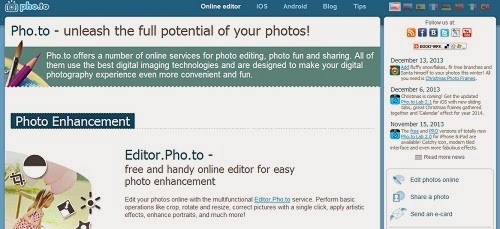
This site has several sub-sites that let you do different things with your photos: edit, enhance, makeup touch-ups, etc. The most unique features are down at the bottom of the screen: Funny.Pho.to and Cartoon.Pho.to. At Funny, you can put your face into a celebrity photo, which I find hilarious. Yes, that's Tom Cruise taking a selfie in front of a picture of me...just one example of the fun you can have on this site. You can also add text and remove the pho.to watermark on Tom's shirt, if you care. You can also put your face on magazine covers, which would be awesome if you're promoting a book (do it for yourself, or your character). There are also some creepy-as-hell "human-to-animal montages" that are probably going to give me nightmares. If you need to get over an ex, pop their picture into the creepy orangutan montage and there you go. 

Note: Occasionally, I got error messages when clicking to a new features...try again and it will probably work. It took me two tries to get the photo above created.

Login required? No

Creative Image Ideas: Pho.to
Pho.to has my everlasting gratitude for the celebrity photos you
can insert yourself into. I find these things hilarious.

If you ever wished you sparkled just like the vampires in Twilight, here's your chance. Add glittery effects to photos of you, your pets, your possessions, or anything that seems dull on its own. Play wit "night lights," "glitter," dappled light," "reflection," and "night and day." Pictures with high contrast turn out the best, according to their tips.

Login required? Yes

Creative Image Ideas: Glitterboo
So, as I was saying, the secret to achieving world peace is...oooh, shiny....

Okay, that's it for part 2. While I was researching, I found four more "workhorse" image manipulation sites that got added to the original post. Click here to go back and check them out.

So now that we've covered workhorse do-it-all photo editing sites and one-trick ponies, what's next? I'm so glad you asked. 

In part 3, I'll turn my attention to some of the more boring but necessary kinds of sites: one-step photo resizing, making icons, doing product placement shots, converting images to different formats, removing backgrounds, creating charts, and other stuff that used to take a crap-ton of time but can now be done in a couple clicks. 

Have you used any of these sites, or created a freakin' masterpiece? I'd love to hear about it. Here's a little something I made with LivLuvCreate for work:

Creative Image Creation: Example from LivLuvCreate

Don't let anyone tell you image marketing is boring. :)